Self-hosted & live right now

Small apps, built to actually get used.

A handful of self-hosted apps, built one at a time — human-led, AI-accelerated and embedded — and used every day. Not shipped to an app store, just running quietly on a home server.

Dominic Townsend
Dominic Townsend

A senior product and technology leader driving the shift that matters most in the AI era: transforming engineers into product builders.

pragilist.com →
Kitchen-Pi icon
Kitchen-Pi
Calm. Beautiful. One tap away.

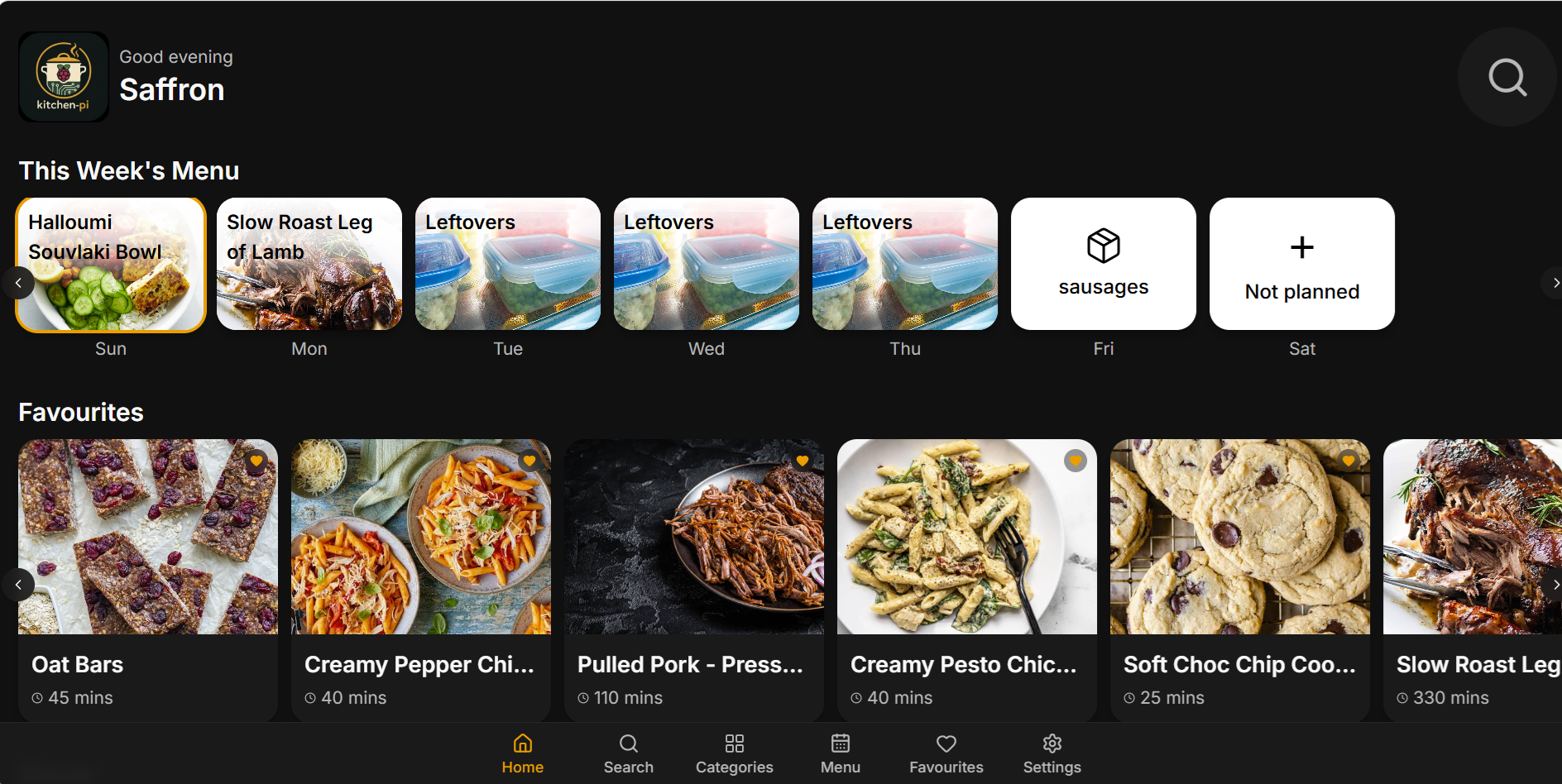
Kitchen-Pi (branded Saffron on the device itself) turns a Raspberry Pi 4 and touchscreen into a dedicated kitchen recipe display — kiosk-mode Chromium with no browser chrome and no desktop ever exposed, built to feel like a premium appliance rather than a tablet running a webpage.

  • ✓ This Week's Menu and Favourites front and centre on the home screen
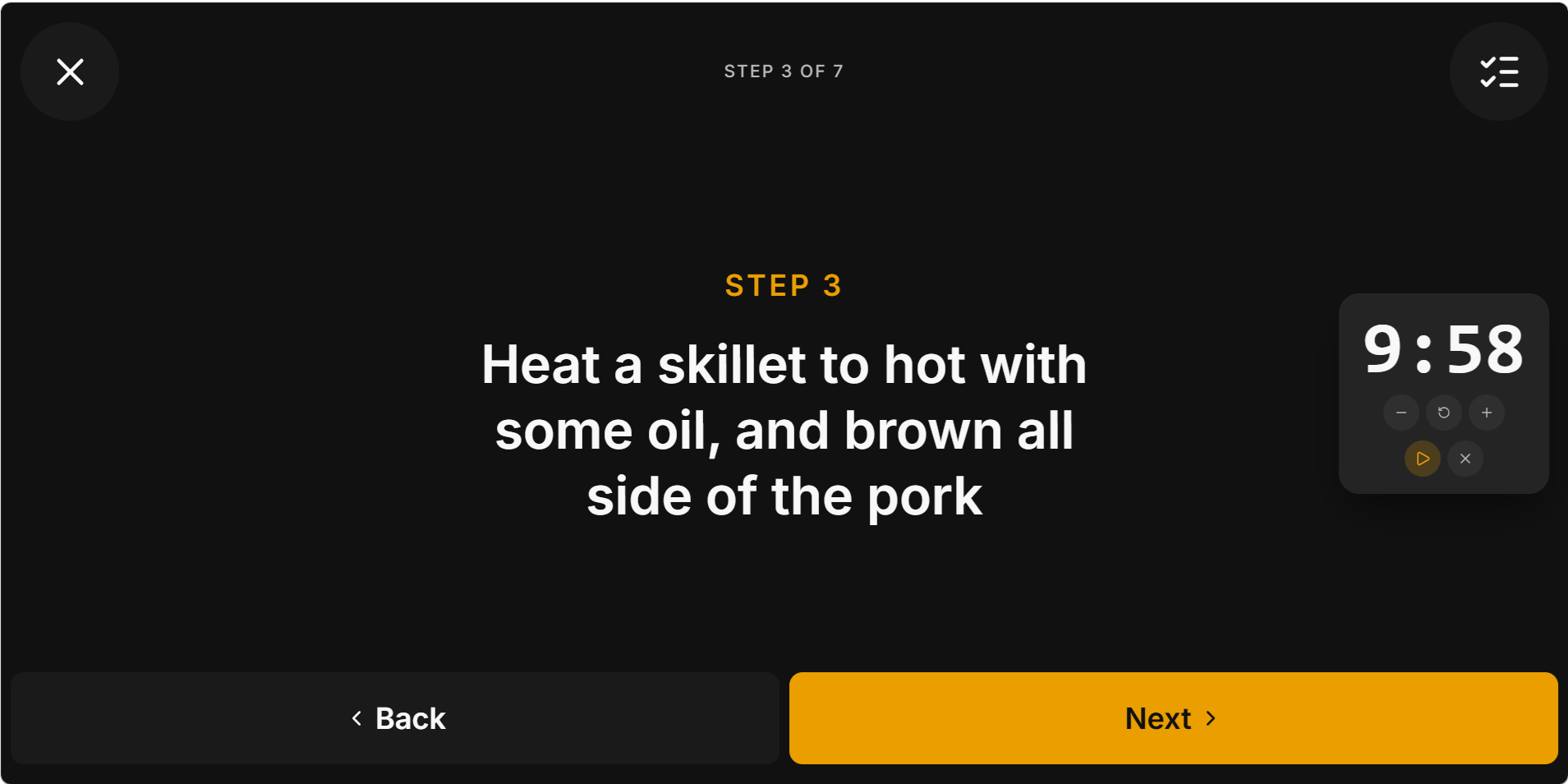
  • ✓ Cooking Mode — one giant instruction at a time, swipe or tap to advance, with a built-in step timer
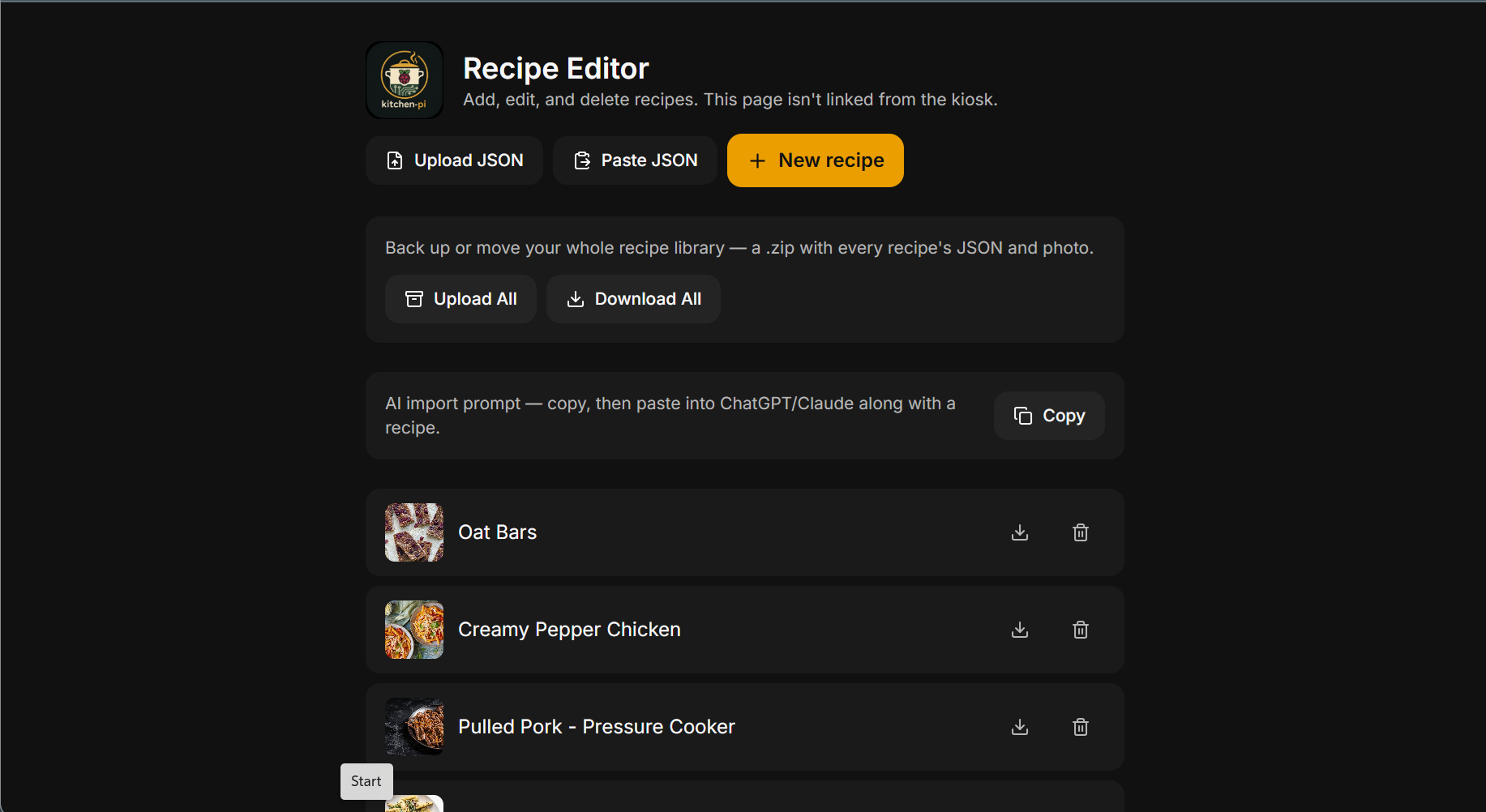
  • ✓ Recipe Editor for adding, editing and bulk-importing recipes, plus a ready-made prompt for pulling a recipe straight from ChatGPT/Claude
  • ✓ Fully offline — recipes, images, search and favourites all work with no internet connection
  • ✓ Boots straight into kiosk mode on power-up, screen never sleeps mid-recipe
  • ✓ Runs on a Pi 4 over Docker, remotely reachable via Tailscale with Claude Code still available over SSH
Kitchen-Pi home screen with This Week's Menu and Favourites
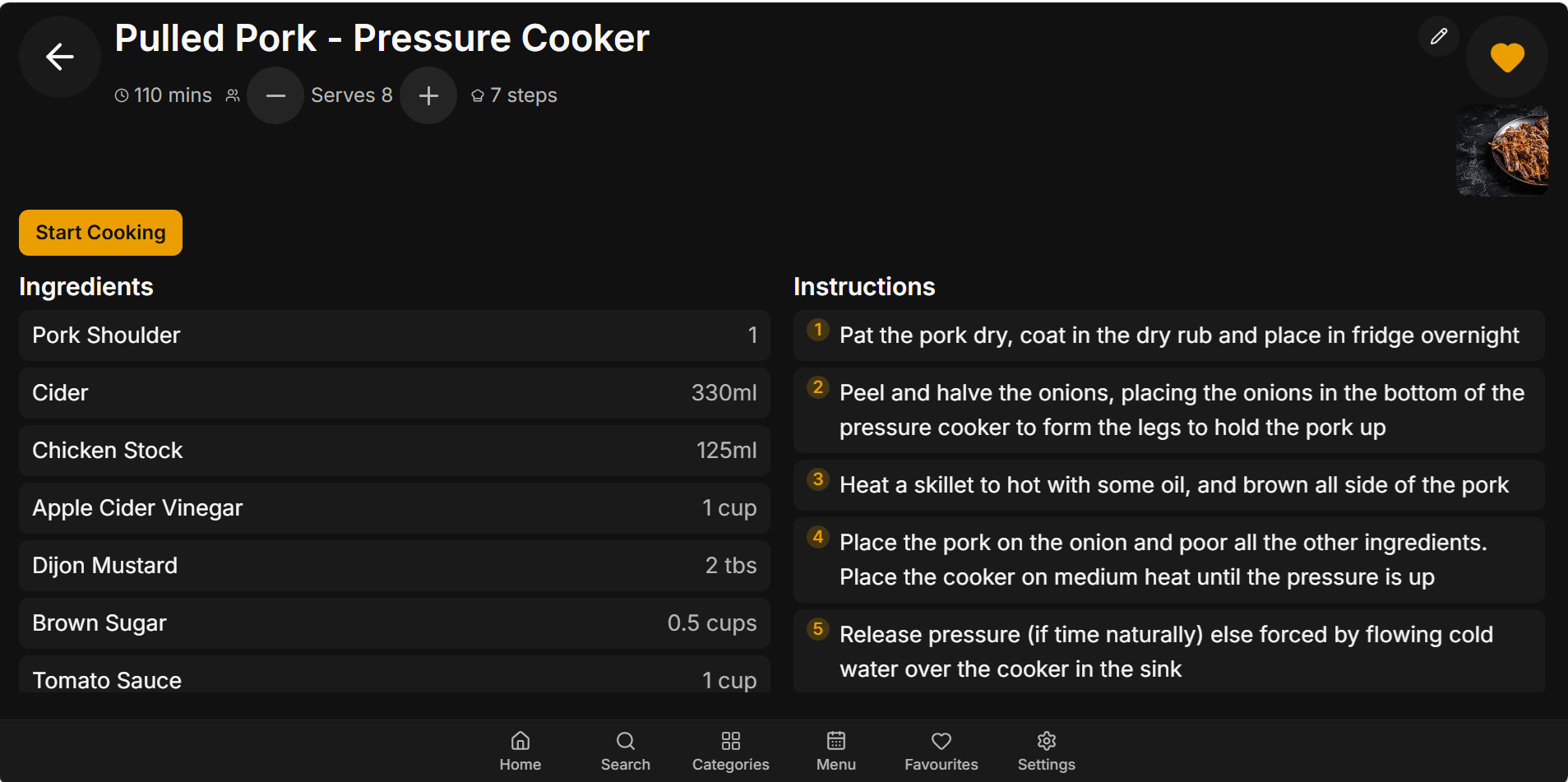
Kitchen-Pi recipe detail screen with ingredients and instructions
Kitchen-Pi Cooking Mode showing a single large step with a countdown timer
Kitchen-Pi Recipe Editor listing recipes with upload, download and AI import options
Helium icon
Helium
Every home server, one glance from your pocket.

Helium is a native Android app that gives instant visibility and control over a personal homelab. It SSHes directly into each server — no agent to deploy or maintain — and surfaces uptime, resource use and Docker health in the two seconds it takes to open the app, with one-tap restarts and log viewing when something needs attention.

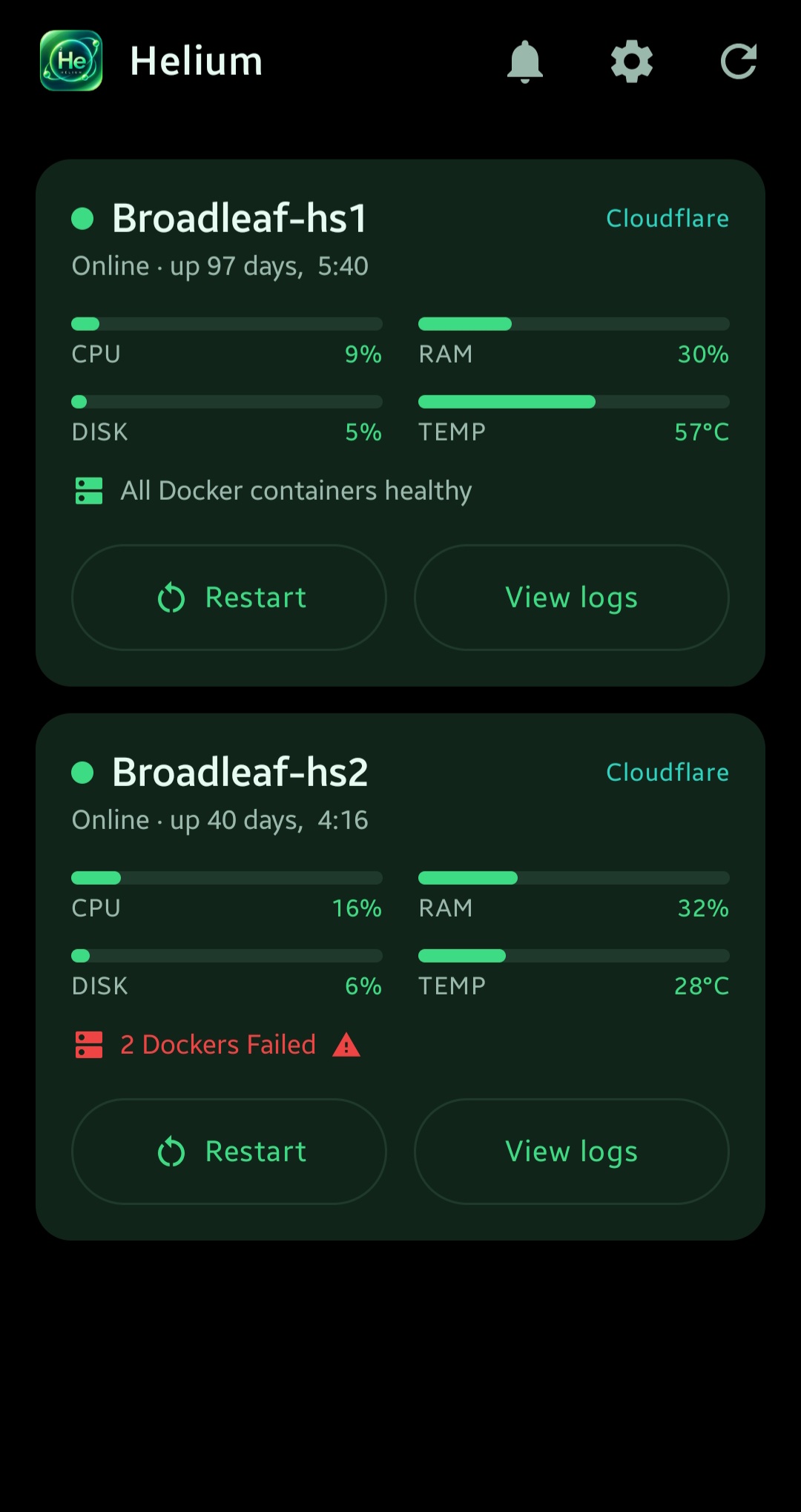
  • ✓ At-a-glance CPU, RAM, disk and temperature for every server, refreshed on demand
  • ✓ Docker container health per host, with one-tap restart and log viewing
  • ✓ SSH-agentless — connects straight over Tailscale or Cloudflare Tunnel, nothing to install server-side
  • ✓ Per-server keys, encrypted on-device in the Android Keystore
  • ✓ Server-side cron pushes temp/RAM/disk breach alerts straight to the phone via ntfy.sh
  • ✓ AMOLED-dark Material 3 design, built for a fast daily check-in
Helium dashboard showing Broadleaf-hs1 and Broadleaf-hs2 status, CPU, RAM, disk, temperature and Docker health
Claud-e-Pi icon
Claud-e-Pi
A Raspberry Pi turned into a Claude Code box you can reach from your phone.

Claud-e-Pi turns a Raspberry Pi 4 into a mobile-reachable Claude Code development box. It boots and runs entirely from a USB SSD, stays reachable from anywhere over Tailscale SSH, and ships with Docker, a general dev toolchain and the Claude Code CLI pre-installed. A one-tap Android companion app finds the Pi, starts or resumes a Claude Code session in tmux, and hands straight off into the Claude app.

  • ✓ Boots and runs from a USB SSD instead of the SD card — the SD card stays inserted as an automatic fallback
  • ✓ Reachable from anywhere over Tailscale SSH — no port forwarding, no key management on the phone
  • ✓ Docker + Compose, plus a general dev toolchain: git, Python 3, tmux, htop, jq
  • ✓ Node.js LTS and the Claude Code CLI pre-installed and ready to authenticate
  • ✓ One-tap Android companion app finds the Pi, starts a detached tmux session and opens straight into Claude
  • ✓ Swapfile on the SSD gives extra headroom on the Pi's limited RAM
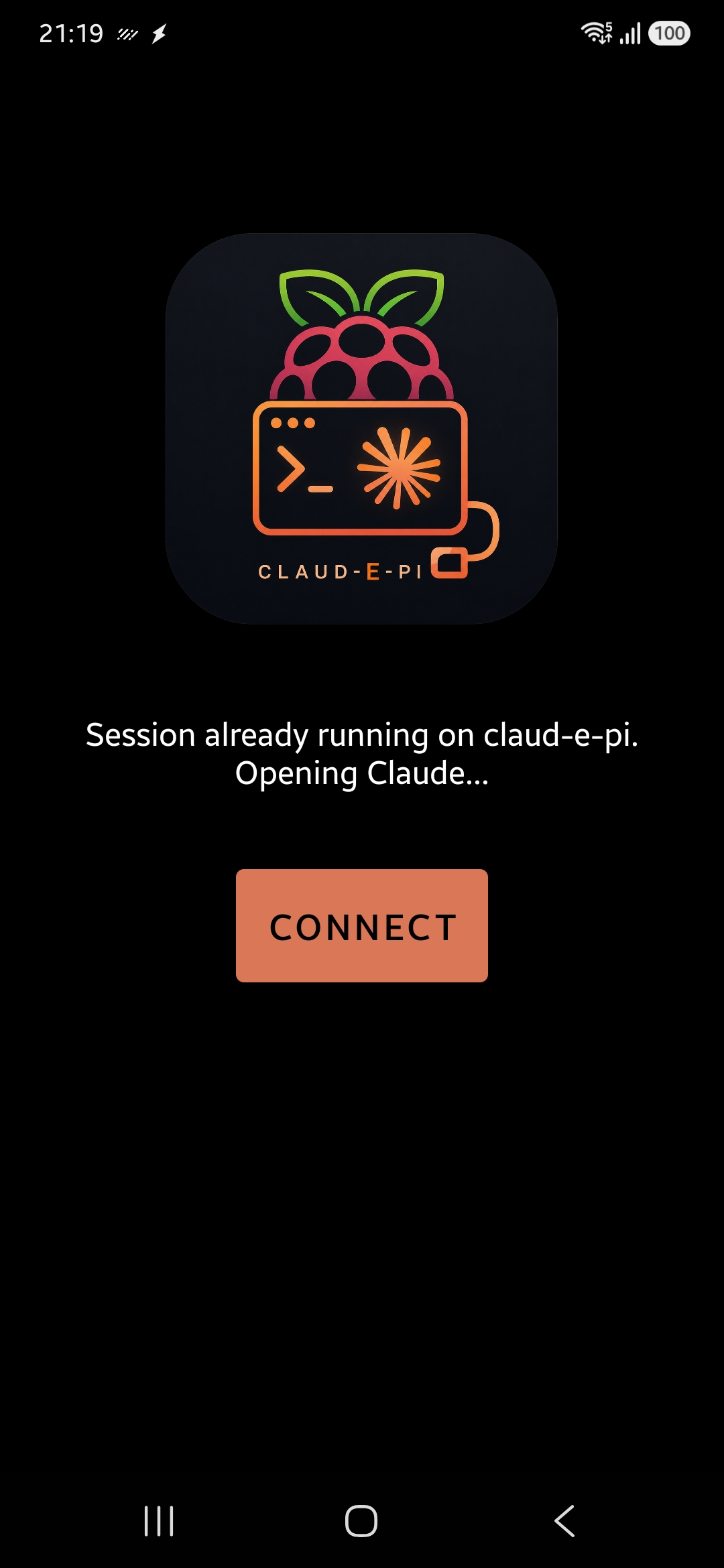
Claud-e-Pi Connect Android app reconnecting to an already-running Claude Code session on the Pi
Briefly mobile app icon
Mobile
Briefly AI server icon
AI Server
Briefly
Meetings captured, transcribed and routed — automatically.

Briefly is an AI meeting-capture appliance: an Android device set up as a dedicated recorder, backed by a self-hosted Docker stack that transcribes, diarises and analyses every meeting, then routes the structured results straight to the tools the work already lives in.

  • ✓ Dedicated Android appliance records meetings automatically — no laptop or app to remember
  • ✓ Local speech-to-text and speaker diarisation — audio never leaves the LAN
  • ✓ Voice enrollment identifies speakers by name in the transcript
  • ✓ A local AI meeting agent turns raw transcripts into structured summaries and actions
  • ✓ Routes results straight to Confluence, email and other work systems
  • ✓ Independently-deployable personal backend stack, exposed via Cloudflare Tunnel
An appliance + self-hosted backend — not a public web app, no link to open
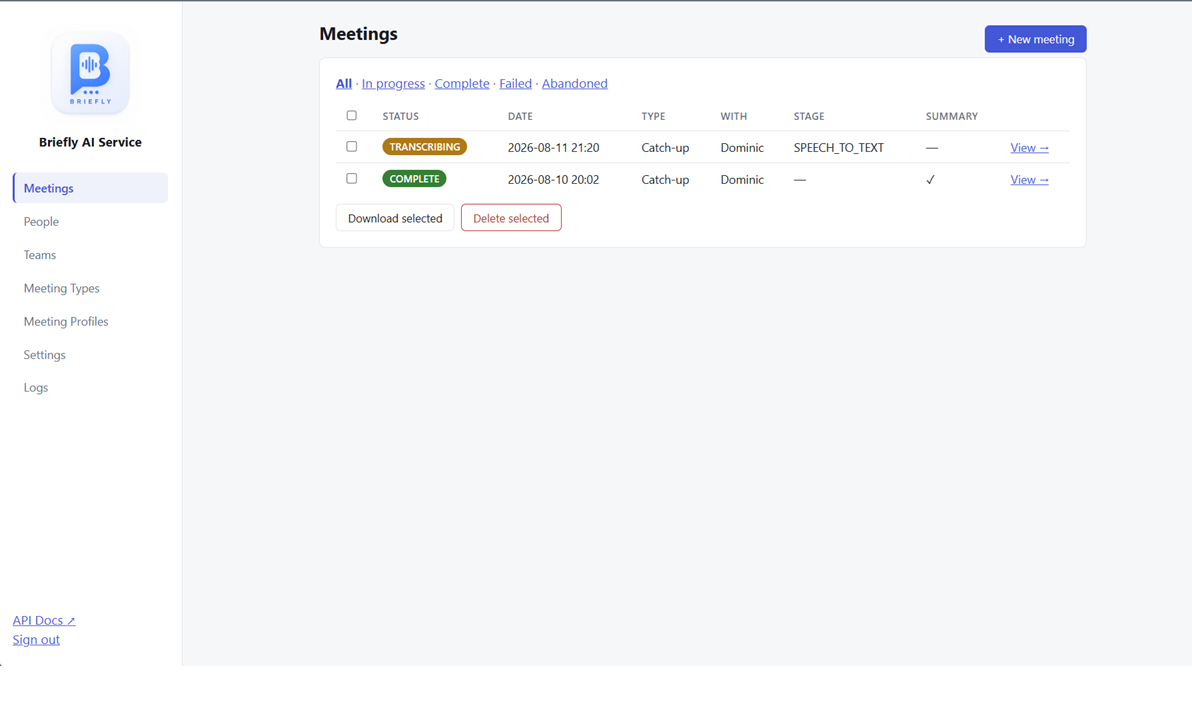
Briefly web dashboard listing recent meetings and their transcription status
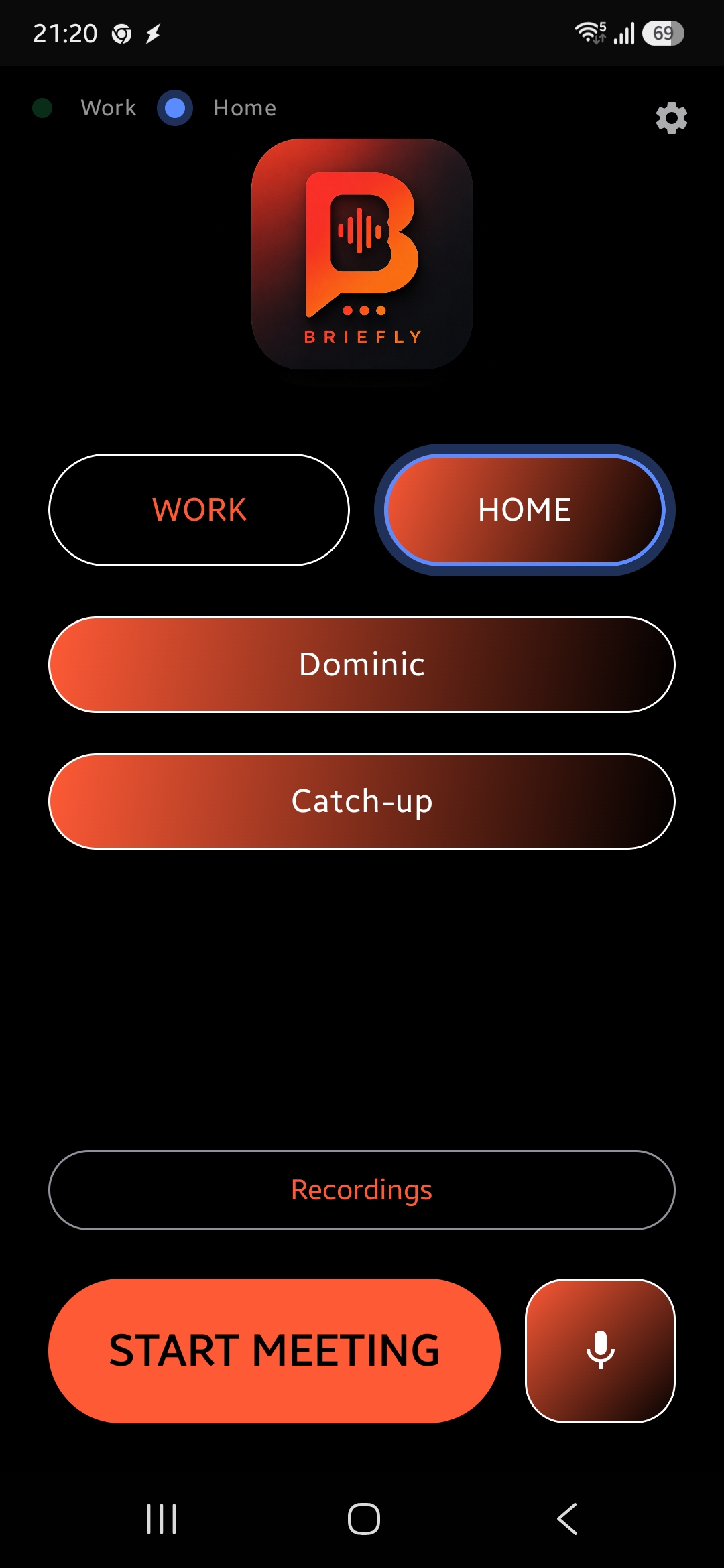
Briefly Android appliance home screen with Work/Home profiles and Start Meeting button
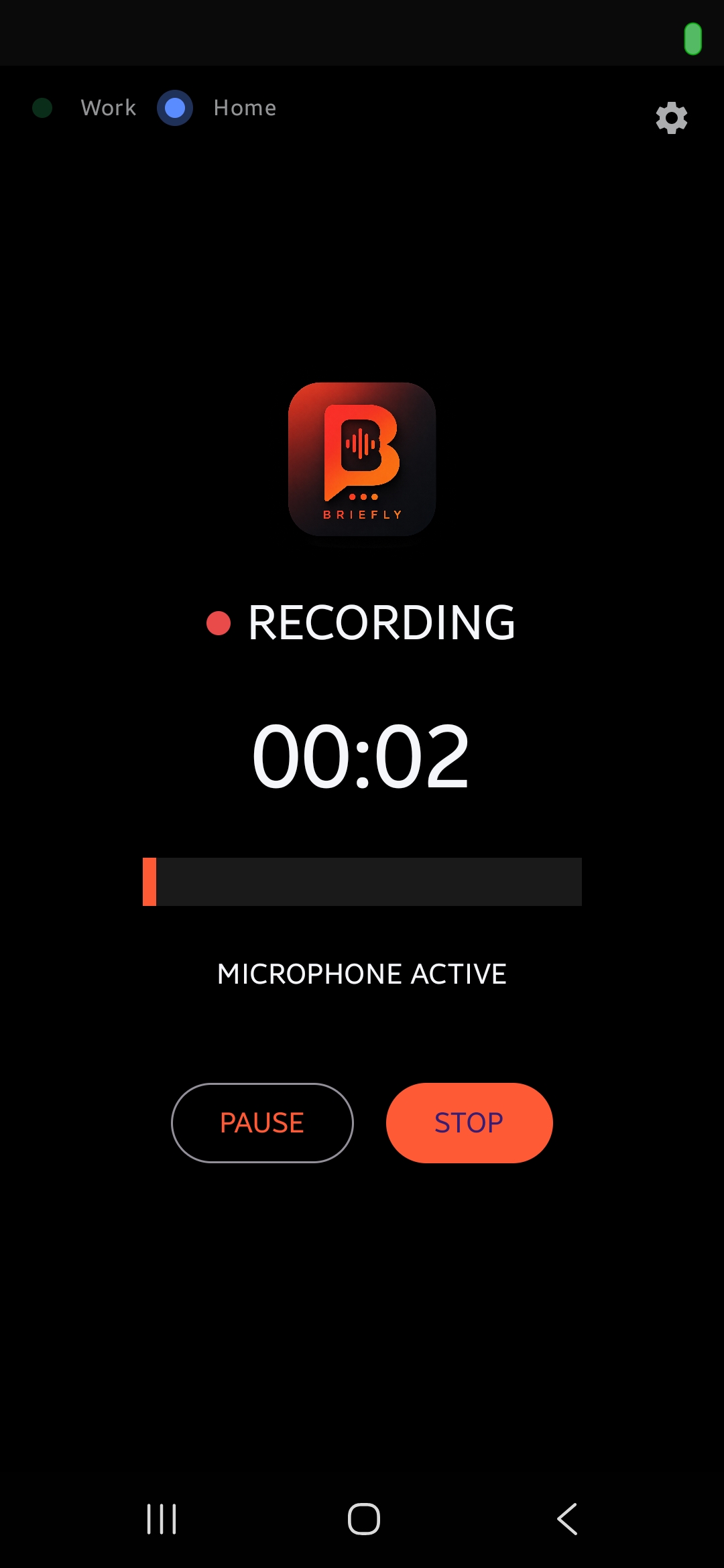
Briefly Android appliance actively recording a meeting
Krypton icon
Krypton
A bike computer, personalised for one rider.

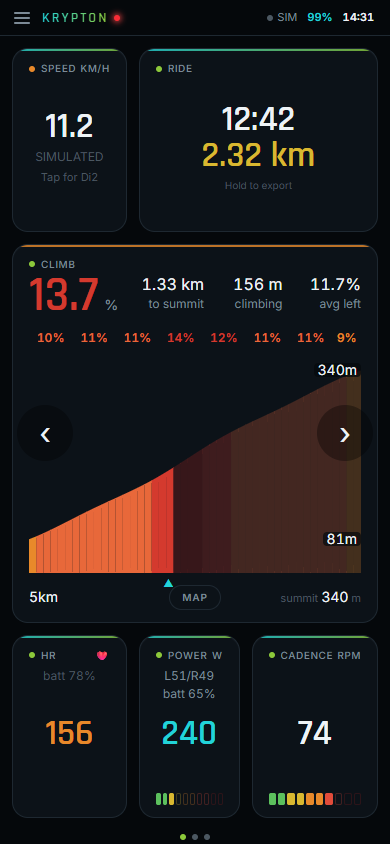
Krypton is an installable phone app that turns any Android phone into a Garmin/Wahoo-style cycling computer. It pairs directly with Bluetooth heart rate, power and cadence sensors — plus Shimano Di2 for a live gear readout — and its signature feature detects climbs dynamically from your live position and heading, with no route required. In daily use as a personal bike computer.

  • ✓ Live heart rate, power, cadence & Di2 gear display over Bluetooth
  • ✓ Dynamic climb detection — matches the road ahead, no planned route needed
  • ✓ Import GPX/KML routes, or save one straight from a past ride
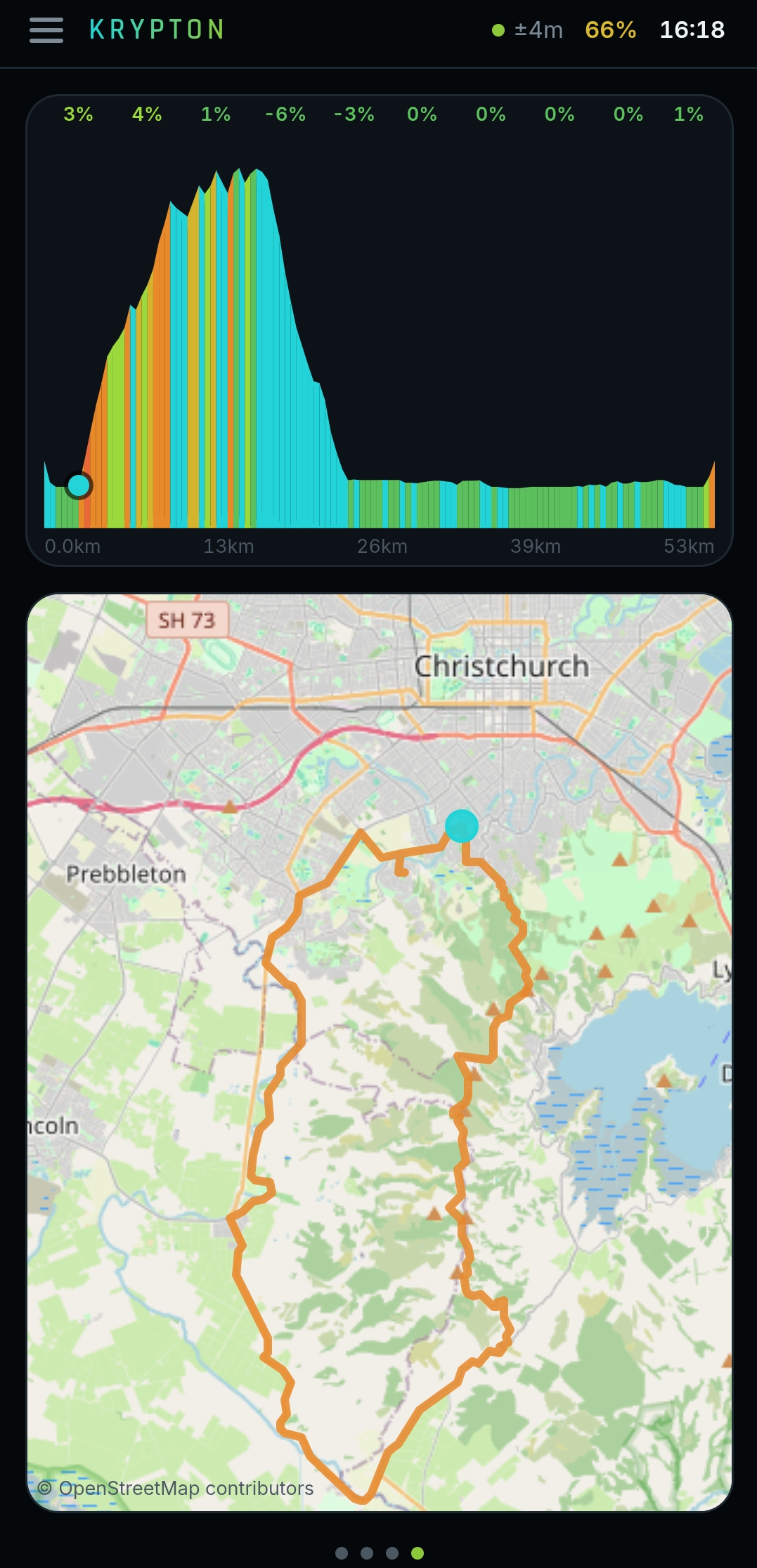
  • ✓ Ride recording with pace-coloured maps and gradient-coloured elevation charts
  • ✓ Fully configurable widget dashboard across swipeable pages
  • ✓ Real-time public location sharing, and cloud sync across devices
Krypton live ride dashboard with speed, timer and sensor widgets
Krypton full-route map overview
Pi Launch Factory icon
Pi Launch Factory
idea → launch, in minutes.
Pi Launch Factory project dashboard showing generated brand, colour palette, typography and logo assets
Pi Launch Factory landing page explaining the markdown-spec-to-launch-package workflow

Pi Launch Factory turns a single markdown spec into a complete product launch package in minutes. Describe a product idea — audience, features, tone — and it extracts the important bits automatically, then generates a full launch package around it: brand identity, colour palette and typography, marketing copy, a website, images and device mockups.

  • ✓ Upload a markdown spec or paste one directly — a pre-filled example shows the expected shape
  • ✓ Generate All produces brand identity, colour palette, typography and a full visual style guide in one pass
  • ✓ Ships logo, app icon and favicon variants alongside marketing copy and a website
  • ✓ Every asset is versioned — edit, regenerate, duplicate or roll back individually
  • ✓ Live status dots and a logs panel track generation progress in real time
  • ✓ Exports the whole launch package — README, privacy policy, terms template and all — as a ZIP
CHISEL icon
CHISEL
Give it a goal, get back a tested codebase.
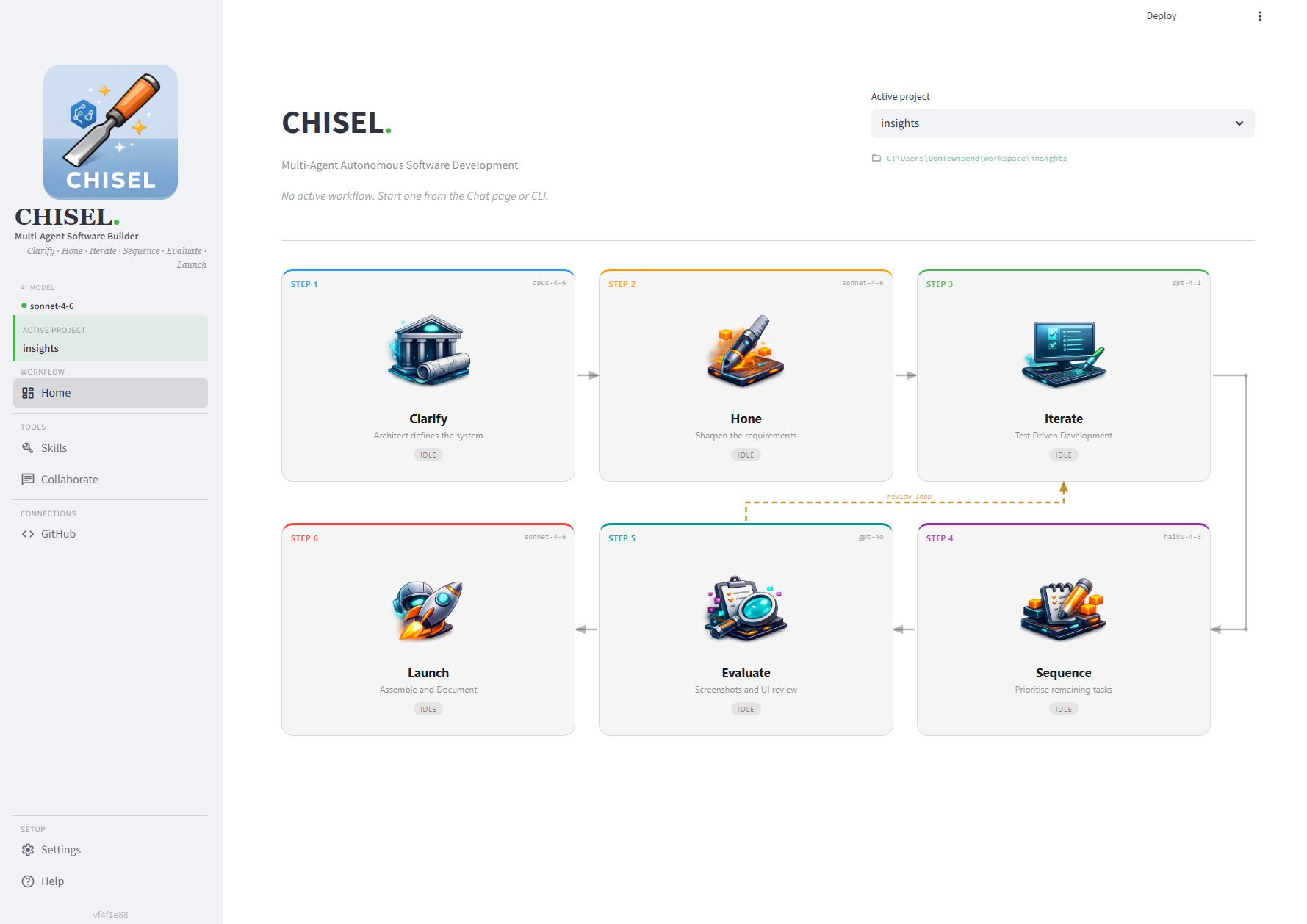
CHISEL's six-phase workflow dashboard: Clarify, Hone, Iterate, Sequence, Evaluate, Launch

A six-phase multi-agent pipeline that turns a plain-English goal into a working, tested codebase. A different specialised Claude agent handles each phase — from eliminating ambiguity through to a final, documented delivery — and you can step in and review between any of them.

  • ✓ Six specialised agents — Clarify, Hone, Iterate, Sequence, Evaluate, Launch — each a single well-defined job
  • ✓ Iterate is strictly TDD — Red, Green, Refactor, one slice at a time
  • ✓ Fully resumable — checkpoints after every phase, recovers the goal after a restart
  • ✓ Evaluate reviews UI slices visually before they're considered done
  • ✓ Editable Skills — every agent's behaviour is a Markdown prompt you can rewrite
  • ✓ Runs from the CLI or a desktop-launched dashboard, no terminal window needed
A local desktop tool — not hosted, no link to open
StackPilot icon
StackPilot
Mission control for engineering workflows, run through Claude.

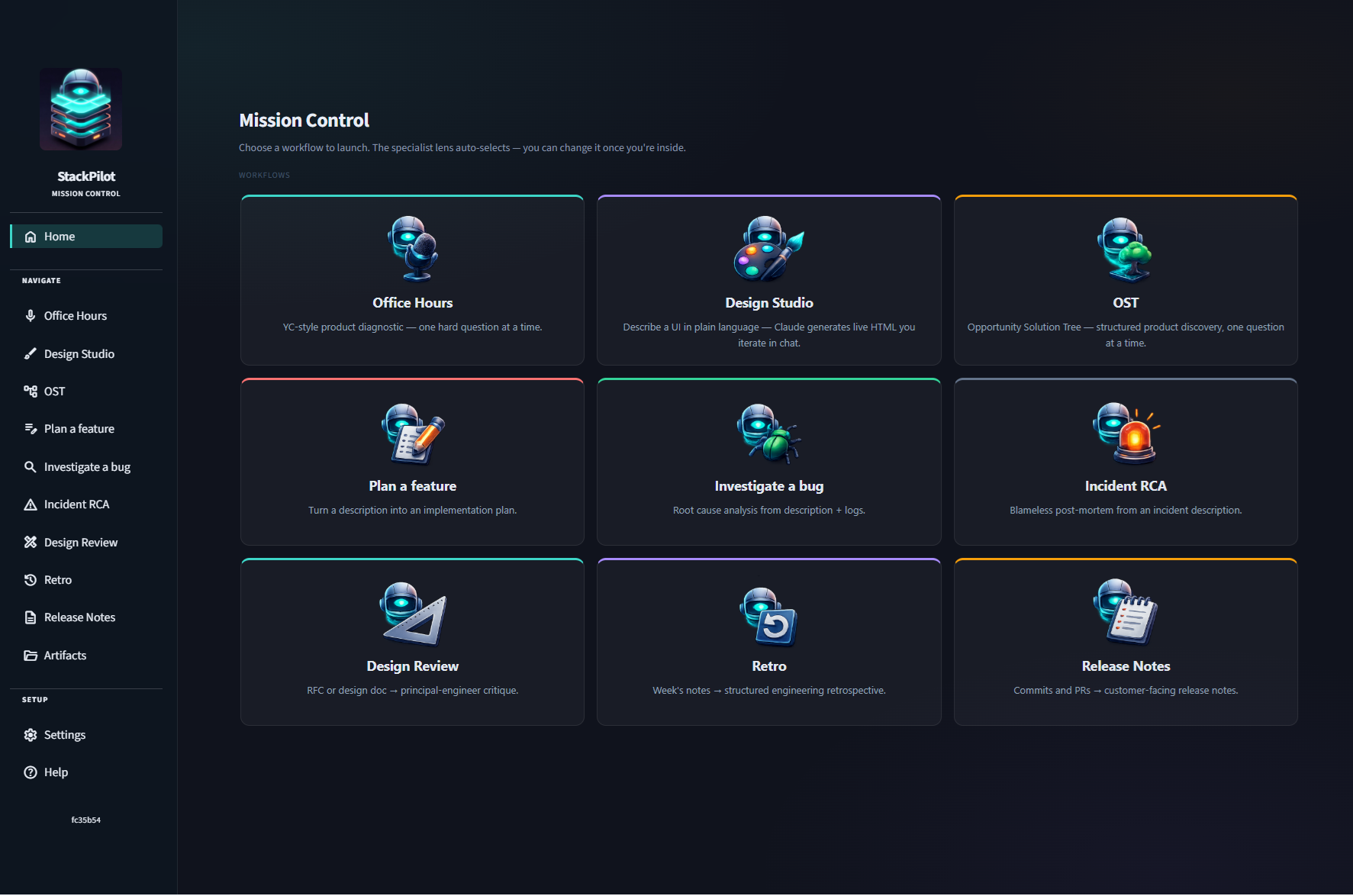
A mission-control dashboard wrapping a dozen structured engineering and product workflows — review a branch, plan a feature, investigate a bug, write release notes, run an incident post-mortem, and more. Each one starts as a form, then drops you into a live chat to refine the output before saving it as an artifact.

  • ✓ A dozen workflows: code review, feature planning, bug investigation, release notes, incident RCA, design review, PR generation, retros, and more
  • ✓ Specialist personas per workflow — same review, different lens (Security, Data Eng, Strategist...)
  • ✓ Session history — every conversation auto-saves and reloads later
  • ✓ Office Hours mode pressure-tests a product idea before it becomes a design doc
  • ✓ Runs on the Claude Code CLI via your Claude.ai subscription — no API key required
  • ✓ Saved outputs land as Markdown artifacts you can view, edit or download
A local desktop tool — not hosted, no link to open
StackPilot's Mission Control workflow tile grid
HomeBrain icon
HomeBrain
Home Assistant, but for your digital life.
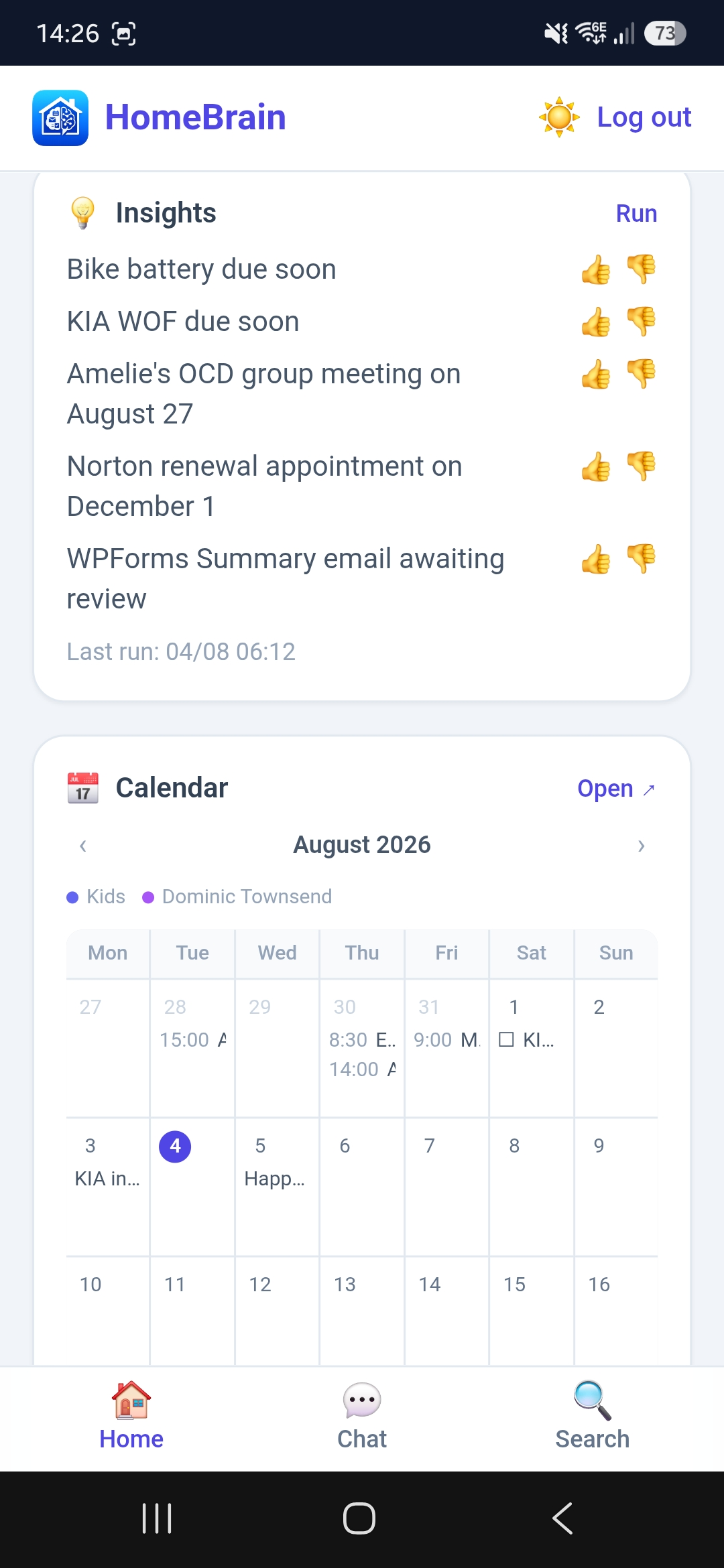
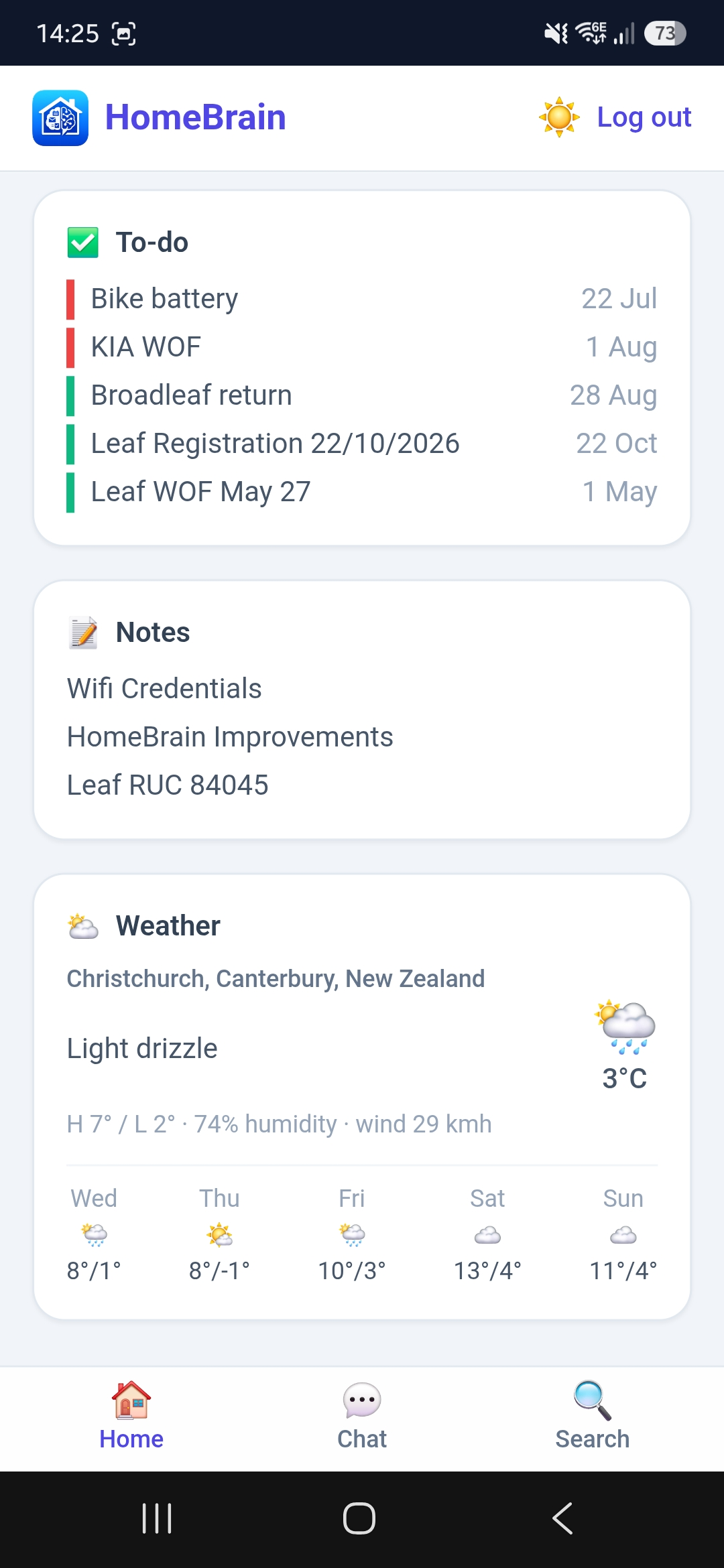
HomeBrain dashboard with Insights, To-do, Calendar and Notes cards
HomeBrain chat screen, ready for a question

HomeBrain connects a private, locally-run LLM (via Ollama) to your own email, calendar, notes and to-dos through a modular tool framework — the AI never touches anything directly, it only ever calls a Tool. Everything runs on your own server, with nothing sent anywhere unless you choose to add a cloud provider.

  • ✓ Chat backed by a local Ollama model, or bring your own OpenAI/Claude/Groq key
  • ✓ Agent Mode — autonomous, multi-step tasks that keep running in the background
  • ✓ Gmail, Google Calendar & Google Tasks integration
  • ✓ A short daily Insights briefing, pulled from your calendar, email and to-dos
  • ✓ Reusable Skills — custom instructions you attach to any conversation
  • ✓ Installable PWA, mobile-first, dark mode
Homecore icon
Homecore
The same daily briefing, with zero AI in the loop.

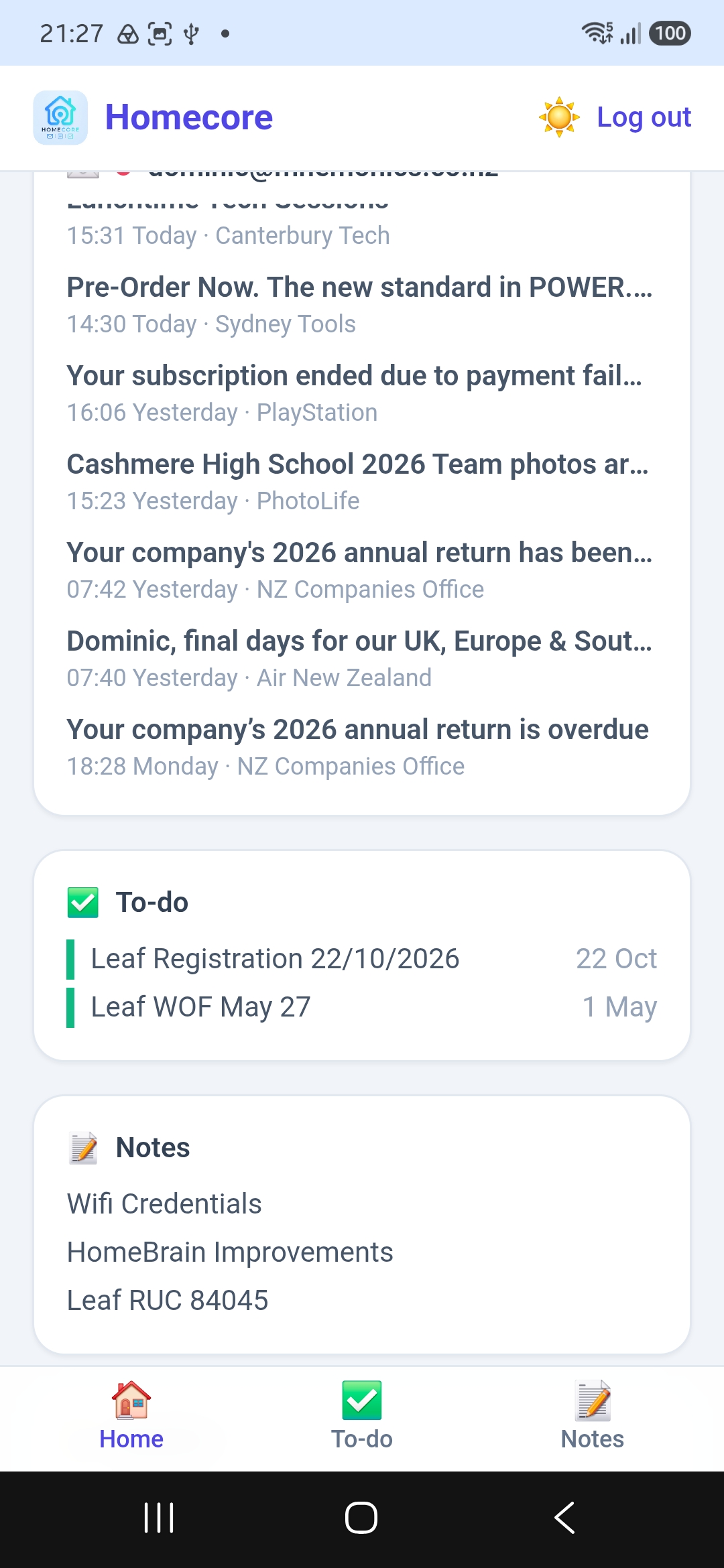
Homecore is a private, self-hosted home dashboard: calendar, email, to-do and notes in one mobile-first PWA. No AI, no LLM, no cloud service beyond the ones already in use — just a fast, single-screen view of the day, backed by a self-hosted Node.js and SQLite server.

  • ✓ Gmail and a second IMAP inbox, Google Calendar and weather in one glance
  • ✓ To-do list two-way synced with Google Tasks — edits on either side stay in sync
  • ✓ Notes and to-do views one tap away from the bottom nav
  • ✓ Nothing requested at install — Google OAuth and IMAP credentials are AES-256-GCM encrypted at rest
  • ✓ Installable PWA, mobile-first, dark mode
  • ✓ Self-hosted end to end, optionally exposed over a Cloudflare Tunnel
Homecore dashboard showing inbox, to-do list and notes
Rummikub icon
Rummikub
Rummikub night, without leaving the couch.

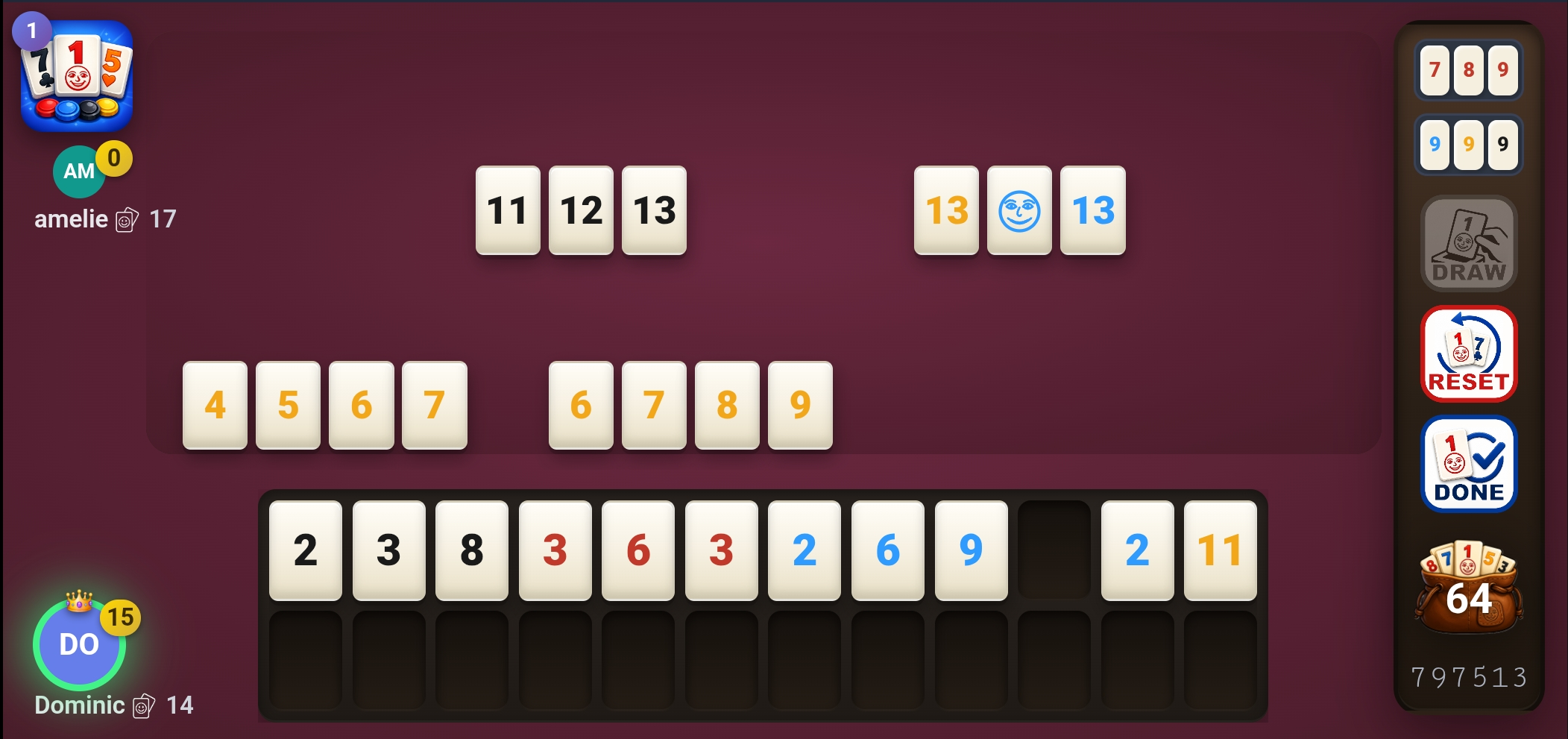
A private, browser-based Rummikub table for 2–4 players. No app store, no accounts beyond a game code and an email address, no AI players and no turn timer forcing your hand — just a private table that's always there for you and your friends, on any device with a browser.

  • ✓ Realtime drag-and-drop play over WebSocket, with full rule validation
  • ✓ Invite by email — a game code and direct join link go out automatically
  • ✓ Turn-notification emails and push alerts, so it's never just your move waiting
  • ✓ Play more than one game at once, and jump between them anytime
  • ✓ Scoring, multi-round matches and final standings
  • ✓ Game state persists in SQLite — survives restarts
A Rummikub game in progress, showing the board and rack
AI Workbench icon
AI Workbench
Finished deliverables, not another chat window.
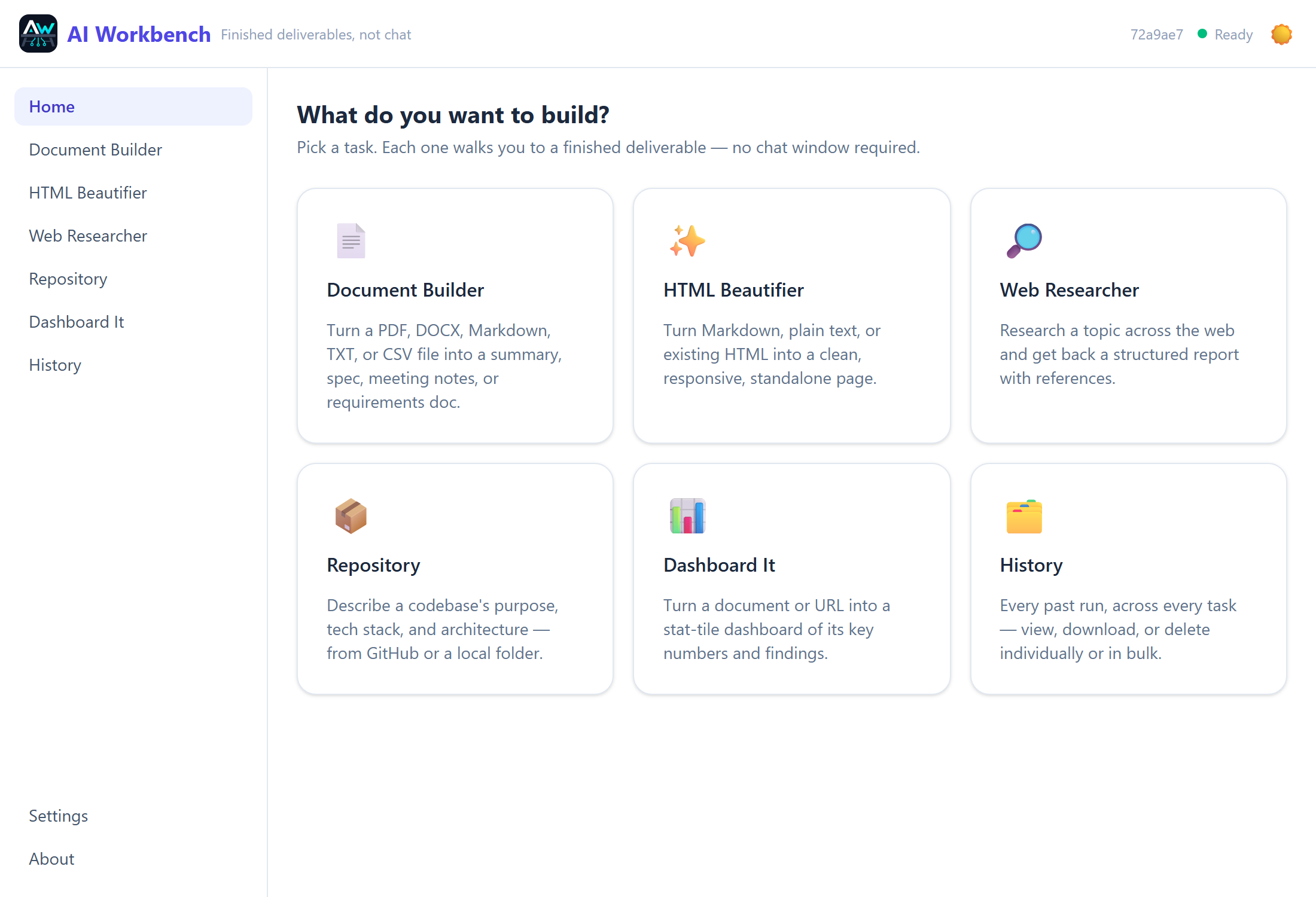
AI Workbench task picker: Document Builder, HTML Beautifier, Web Researcher and more

A local-first, task-driven AI assistant for knowledge work. Instead of an open-ended chat window, you pick a task and it walks you straight to a finished deliverable — backed by a shared, self-hosted Ollama model.

  • ✓ Document Builder — turn a PDF/DOCX/Markdown/CSV into a summary, spec or meeting notes
  • ✓ HTML Beautifier — turn Markdown or plain text into a clean, responsive standalone page
  • ✓ Web Researcher — a structured report with references, via self-hosted search
  • ✓ Repository — describe a codebase's purpose, stack and architecture from GitHub or a local folder
  • ✓ Dashboard It — turn a document or URL into a stat-tile dashboard
  • ✓ History — every past run, viewable, downloadable or deletable anytime
Runs on the home LAN only — not reachable from this page
POST-IT icon
POST-IT
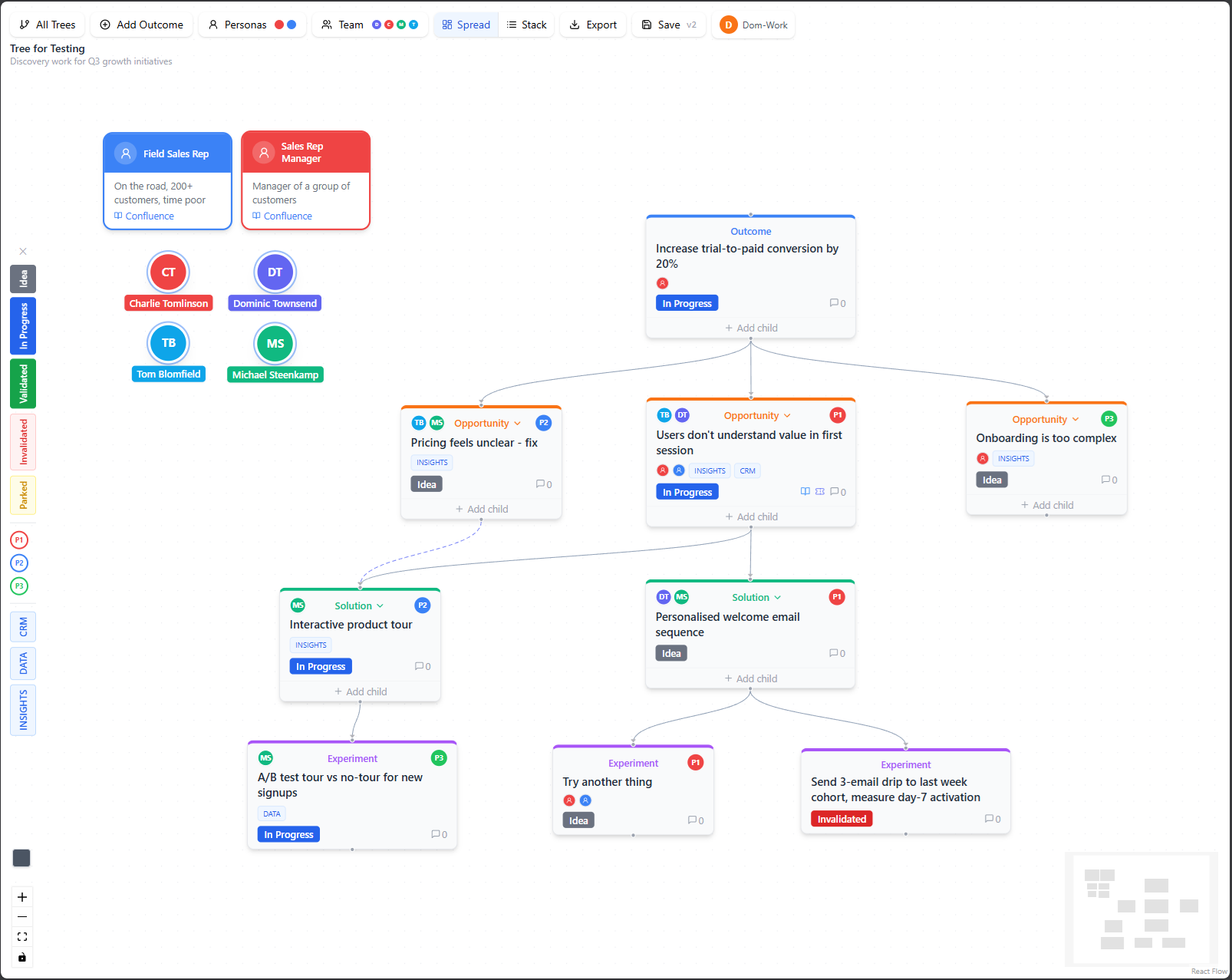
Opportunity Solution Trees, on a shared canvas.

A collaborative canvas for building and exploring Opportunity Solution Trees — linking desired outcomes to opportunities, solutions and experiments, with everyone's changes syncing live.

  • ✓ Canvas-based tree editing — drag freely, or auto-arrange with Tidy
  • ✓ Four colour-coded node types: Outcome, Opportunity, Solution, Experiment
  • ✓ Status, tag and priority filters — dim or hide what doesn't match
  • ✓ Personas and Team Members, assignable to any node
  • ✓ Live presence and real-time sync over WebSocket across tabs and devices
  • ✓ Tree versioning, daily backups, and an MCP server so Claude can edit trees directly
A POST-IT opportunity solution tree in progress
BrewBuddy icon
BrewBuddy
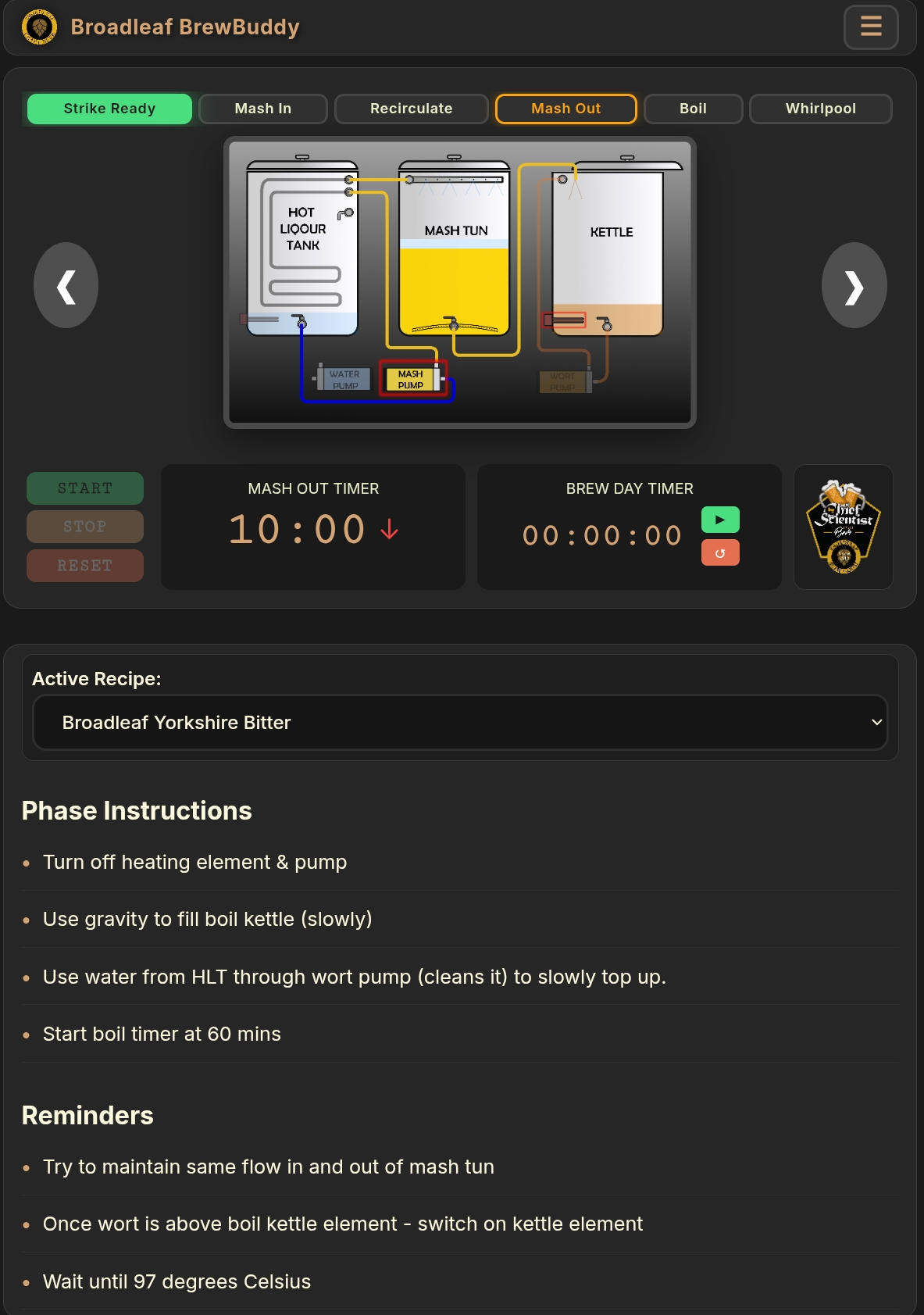
A brew day co-pilot, phase by phase.
BrewBuddy brew day dashboard with equipment diagram and timers
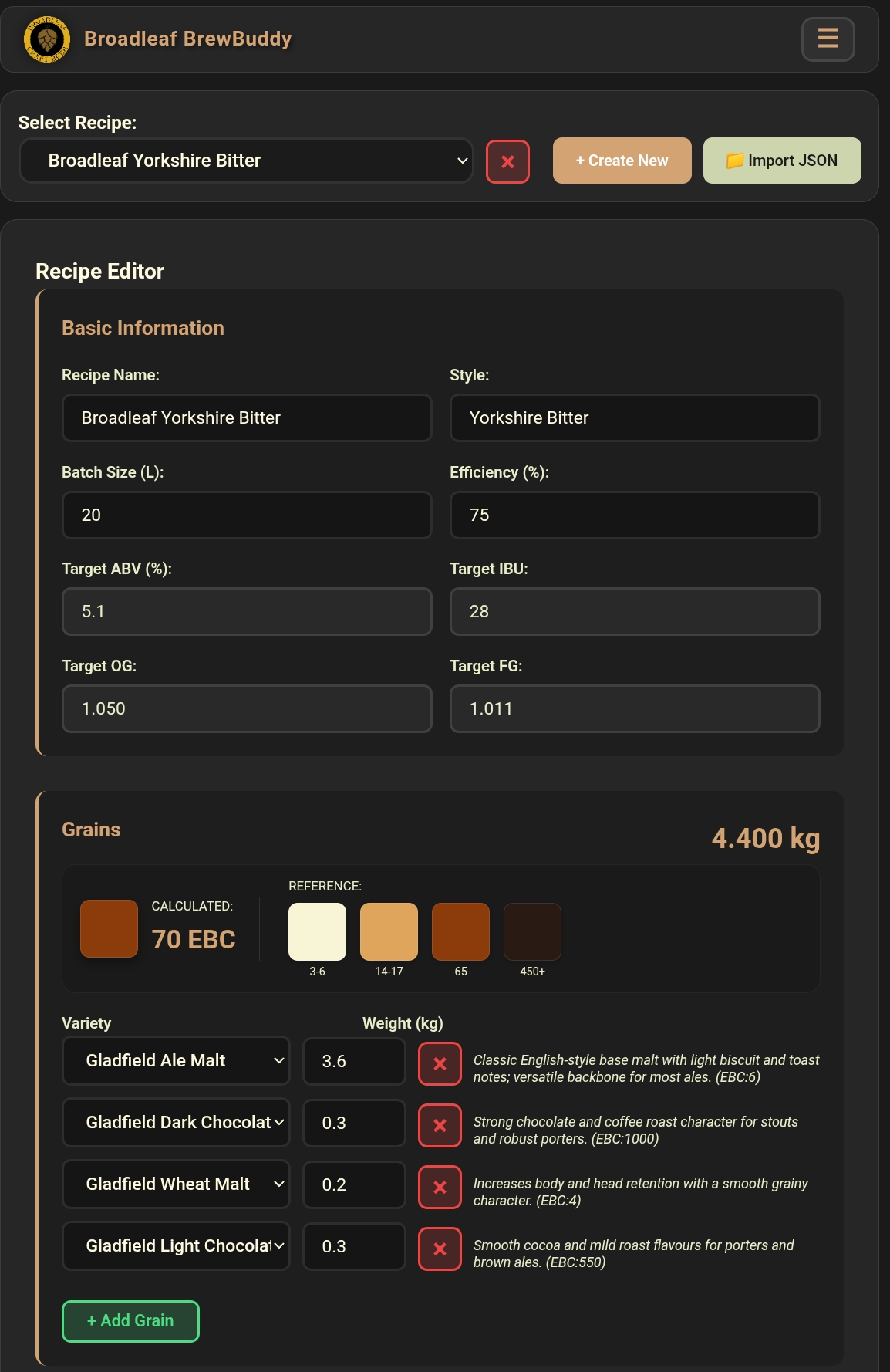
BrewBuddy recipe editor with grain bill and live EBC calculation

Manages brew day operations, recipe building and ingredient tracking for home brewers — a visual, phase-by-phase guide with live timers, alerts, and a diagram of the equipment in play.

  • ✓ Brew Day Dashboard — visual phase-by-phase guide with timers and alerts
  • ✓ Recipe Management — create, edit and store full recipes
  • ✓ Live calculations — estimated colour (EBC), bitterness (IBU), OG/FG and ABV as you edit
  • ✓ Ingredients Catalog — grains, hops, yeast and adjuncts with custom properties
  • ✓ Brew Journal — log events and notes during the session
  • ✓ Shopping List generation for brew shop trips
SmartRecipe icon
SmartRecipe
Paste a recipe URL, get a brew-day-ready recipe.

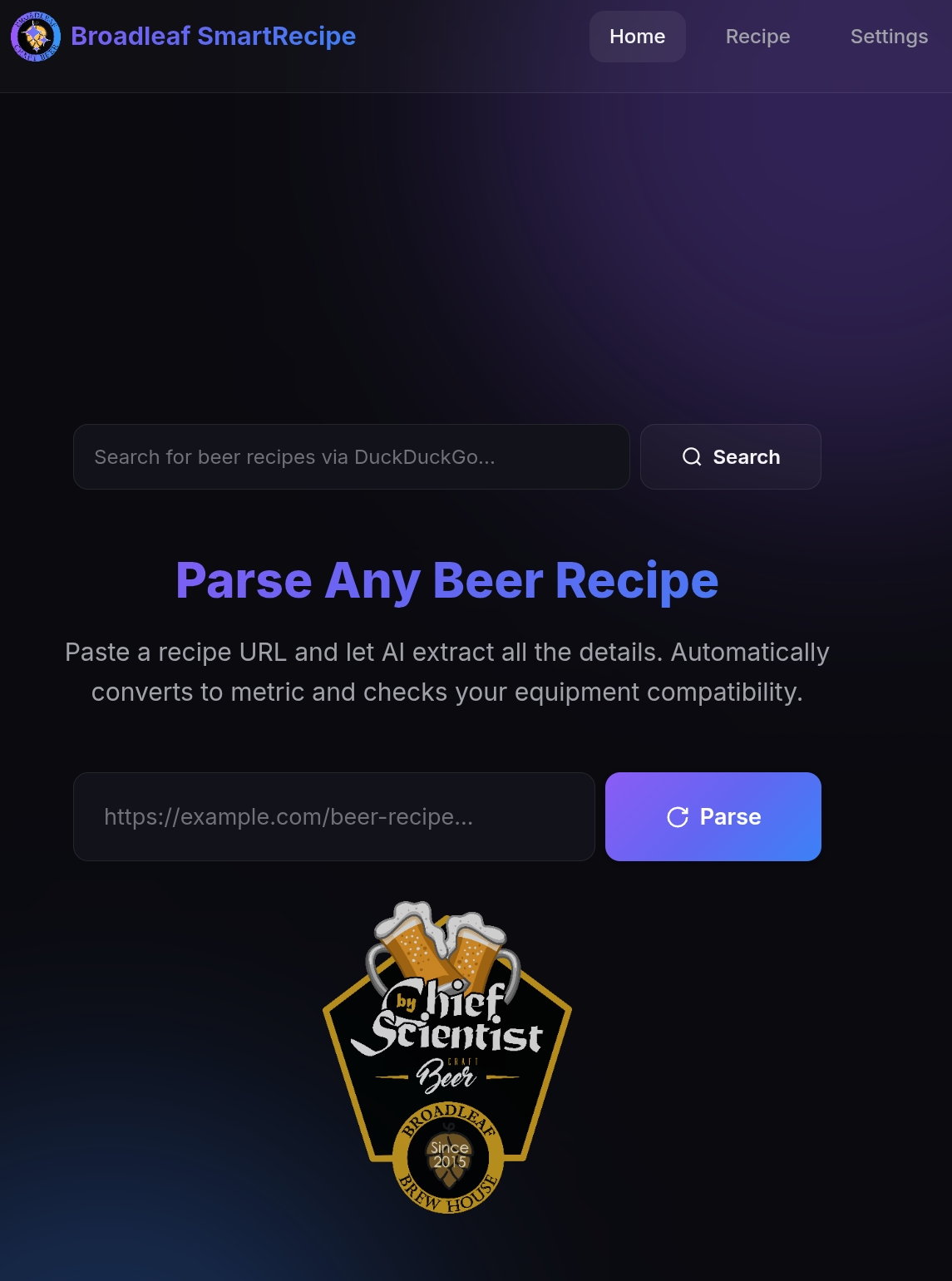
An AI-powered companion to BrewBuddy: paste any beer recipe URL and it pulls out structured, editable data — converting imperial to metric, checking it against your equipment's limits, and suggesting locally available ingredient substitutions — then exports straight into BrewBuddy as a ready-to-brew recipe.

  • ✓ AI recipe parsing — paste a URL, get structured data back
  • ✓ NZ ingredient substitution — suggests locally available alternatives
  • ✓ Unit conversion — imperial to metric (lbs→kg, °F→°C) done for you
  • ✓ Equipment checking — validates a recipe against your brew system's limits
  • ✓ Integrated search — find recipes via DuckDuckGo without leaving the app
  • ✓ One-click export straight into BrewBuddy as a ready-to-brew recipe
SmartRecipe home screen for parsing a beer recipe URL
Shopping List icon
Shopping List
One list, sorted the way each supermarket is actually laid out.
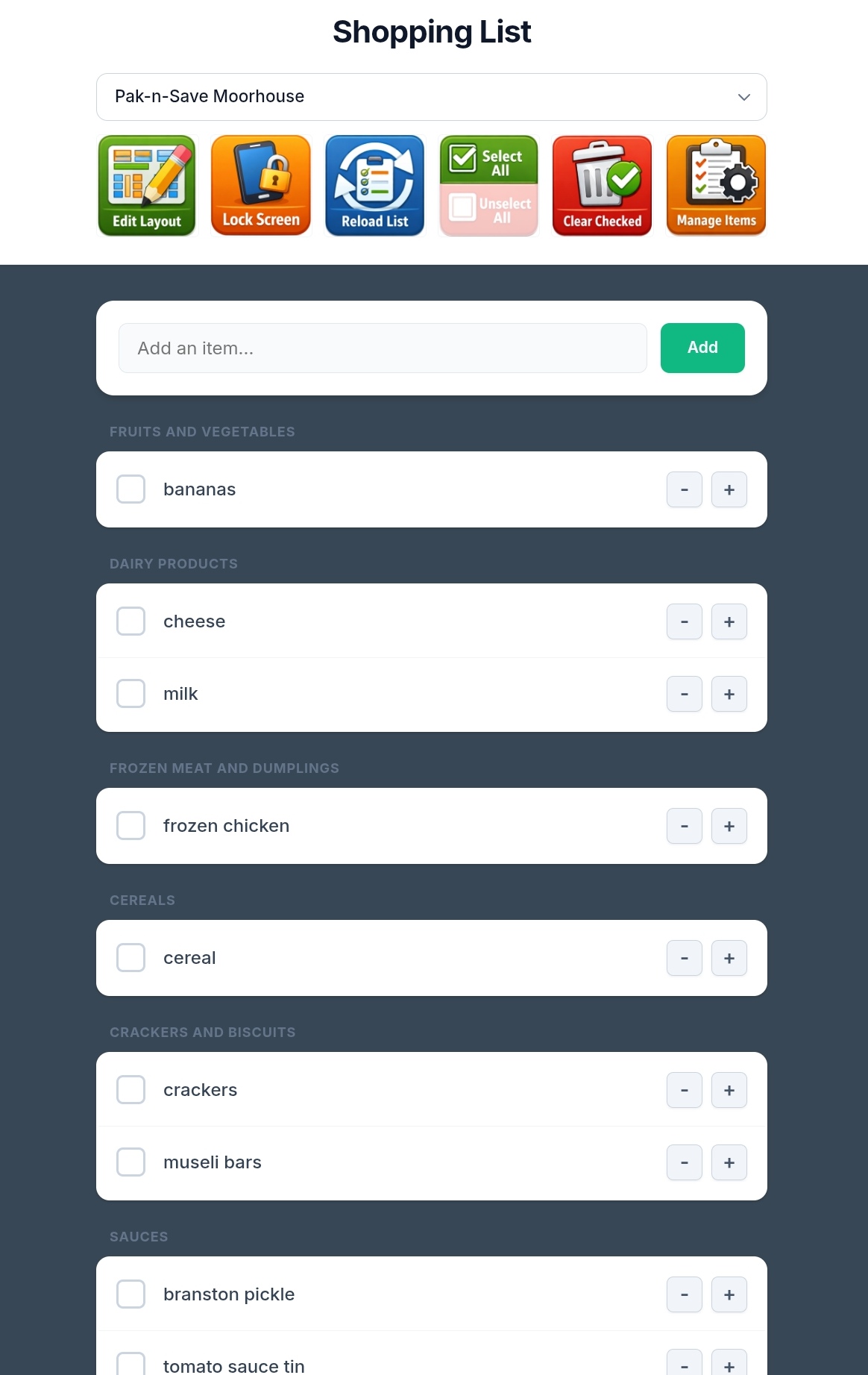
Shopping List reordered to match a Pak-n-Save Moorhouse aisle layout

A shared household shopping list that reorders itself to match whichever supermarket you're heading to. Pick a shop and the list re-sorts to its aisle order — drag-and-drop editable per shop, so it keeps learning the layout instead of guessing at it every time.

  • ✓ Per-shop category order — pick a shop, the list re-sorts to its aisle layout
  • ✓ Drag-and-drop layout editor — reorder, rename or remove categories per shop
  • ✓ Anything uncategorised drops into an "Unsure of location" section
  • ✓ Quantity +/- steppers on every item, with autocomplete when adding new ones
  • ✓ Checked items group into their own section instead of disappearing
  • ✓ Keeps the screen awake while you shop, and installs as a home-screen PWA